


Temp Mail - Temporary Email
4.66.03K Reviews
App Specs
- Version
- 4.09
- Updated On
- License
- Free
- Downloads
- 10,000,000+
- Developer
- Privatix Limited
- Categories
- Communication
- Platform
- Android, iOS
Screenshots
 Analysis by AppCompare
I use a disposable inbox when a website asks for an email address before I can even see what it offers. That small step can save my everyday inbox from promotional messages, but it also raises a practical question: will I still be able to get the confirmation email when I need it? Temp Mail - Temporary Email is built for that quick exchange, and its appeal is the low-effort start: open the app, take an address, and use it for a short-lived sign-up.
Quick access, with one important catch
The first impression is speed through simplicity. There is no permanent account to set up before getting an address, so the app can fit into the few seconds between reaching a sign-up form and deciding whether the service is worth trying. For a one-off newsletter or a site that requires an email just to unlock a page, that is a much lighter process than creating another full mailbox.
That convenience has a boundary: disposable email is most useful when the next message is all you expect to need. If an account later asks you to reset a password, confirm a purchase, or prove ownership again, you may need access to that same address. I would not treat a temporary inbox as a safe home for anything I might want to recover. Before using it, I ask myself whether losing the address would lock me out of something important.
What is Temp Mail - Temporary Email?
Imagine having the freedom to create a temporary email address that self-destructs after a certain period. That’s precisely what Temp Mail - Temporary Email offers. It’s a simple yet genius solution for those times when you need an email address for a short while. No fuss, no muss, and definitely no spam.
Setting Up and Using the App
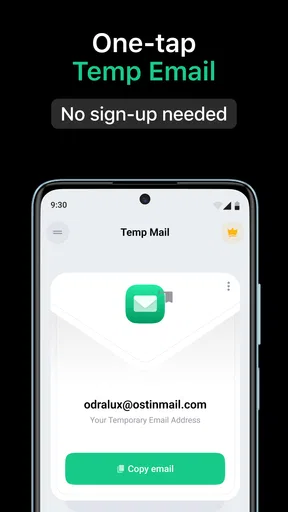
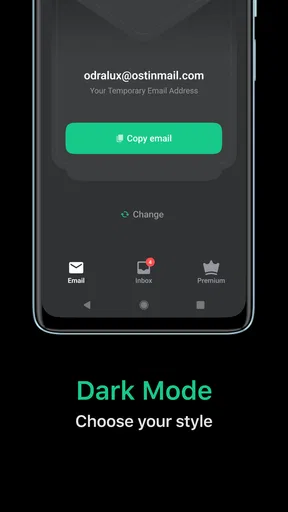
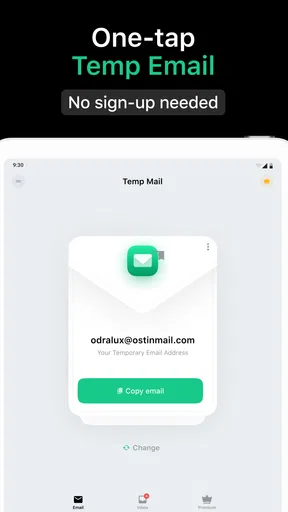
Diving into the app is a breeze. The moment you open it, you’re greeted with a fresh email address ready to use. No sign-ups or complicated setups required. Just one tap, and you’re good to go. I loved how straightforward this was. The UI is clean and intuitive, making it easy even for those who aren’t exactly tech-savvy.
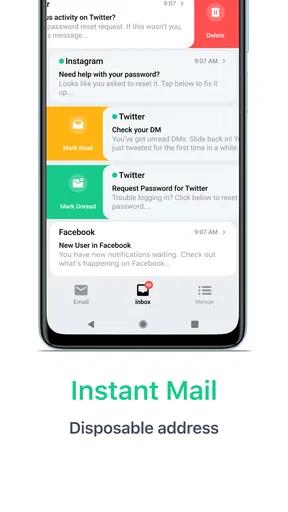
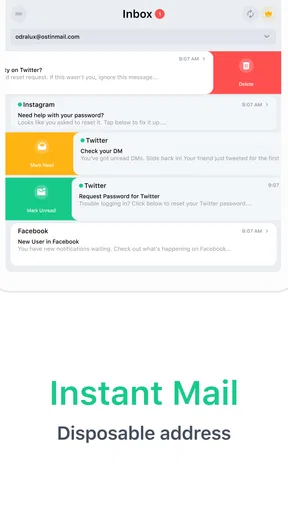
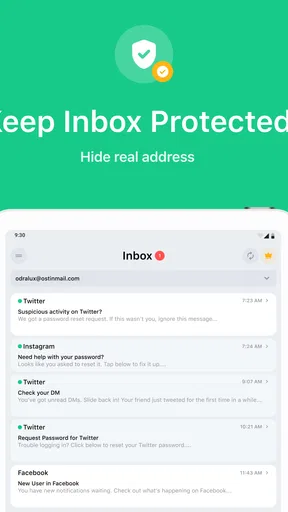
Once you’ve got your temporary email, you can use it just like any other email address. Whether you're signing up for newsletters, accessing restricted content, or registering for a webinar, it works seamlessly. The app also provides notifications for incoming emails, so you won’t miss anything important while you’re using your temporary inbox.
What happens when several messages arrive
For a single verification message, the workflow is simple: copy the address into the form, switch back to the inbox, and look for the incoming mail. During a busy stretch, such as comparing several services or testing multiple registrations, the useful discipline is to keep each sign-up tied to the address you intended to use. The app supports switching between addresses, but the convenience of moving among them does not remove the need to check which one a message belongs to.
Worth Reading Before You Choose

Flipboard Shows What News Apps Must Do Beyond the Feed

Switching to Android Auto Means Rethinking Your Driving Routine

Google Calendar Makes a Crowded Week Easier to Manage

Ludo King Makes the Most of the Minutes Between Plans

Baby Panda World Brings Quick Play to Modern Phones, but Its Game Library Feels Busy

ESPN’s Live Game View Makes Following Close Games Easier
Notifications can help when you are waiting for a time-sensitive confirmation, though I would still keep the inbox open and check it directly if the message matters. A notification is a prompt, not a guarantee that every site’s email will arrive promptly or that its message will be accepted. Some services restrict disposable addresses, and that is a limitation of using this kind of inbox rather than a problem you can solve by repeatedly tapping refresh.
Features that Stand Out
One of the coolest features is the automatic email deletion. After a certain period, poof! Your temporary email and all its contents are gone. This means you don’t need to worry about privacy issues or your emails being stored indefinitely.
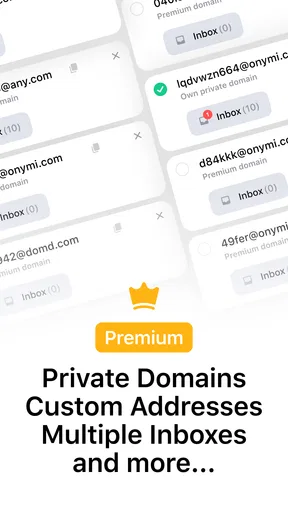
Another handy feature is the ability to create multiple email addresses. This is perfect for those times when you need to juggle several sign-ups at once. Plus, you can switch between different addresses effortlessly within the app.
A practical workflow for everyday sign-ups
Say I am checking out a new recipe service that requires registration before showing its full collection. I can use a disposable address, receive the confirmation, and see whether the site is useful without immediately adding it to the stream of messages in my personal inbox. If I decide to keep using the service, I would move the account to an email address I control long term, provided the service allows that change. That follow-up step matters: a temporary address is a filter for trying something, not a substitute for an account I intend to keep.
For shopping, I would use the same test. It can make sense for a one-time discount code or a casual mailing list, but it is a poor choice for an order receipt, delivery updates, returns, or warranty communication. Those messages may be useful well after the initial sign-up, so keeping them in an inbox you can reliably access is more important than avoiding marketing mail. The app is strongest when the cost of losing future correspondence is low.
Security and Privacy
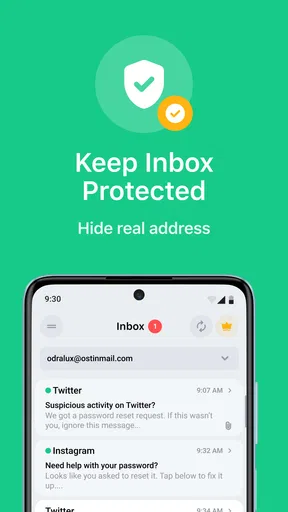
In today’s digital age, security and privacy are paramount, and Temp Mail - Temporary Email takes this seriously. The app doesn’t store your data, which means there’s no risk of your information being sold or leaked. It’s a reassuring thought, especially when you’re constantly bombarded with news about data breaches.
I see the privacy benefit most clearly as separation: a disposable address keeps a casual registration away from my main email identity. That is not the same as making every interaction anonymous or turning a temporary mailbox into a secure channel. I would avoid sending sensitive personal details to it, and I would not use it for banking, healthcare, work accounts, or any service where continued access and account recovery matter. The safest rule is to treat the inbox as a short-term receiving point, not a vault.
How it compares with ordinary email and aliases
A standard email account is a better choice when I need dependable access, a long message history, or a reliable way to recover an account. It takes more effort to create and manage, but that effort buys continuity. An email alias or a separate secondary mailbox can also be a better middle ground when I want to screen subscriptions while still retaining messages for later. Temp Mail is more convenient for a quick trial, but less suitable when I need control over the address months from now.
Compared with simply typing my main address into every form, a temporary inbox offers a useful buffer against unwanted follow-up. Compared with a long-term secondary mailbox, it asks less of me at the start but gives me less reason to rely on it later. I choose based on the likely lifespan of the account: a one-time download or event registration is a natural fit; a community, subscription, or purchase history usually deserves an address I can keep.
Real-Life Applications
I found several practical uses for the app beyond just avoiding spam. For instance, when accessing public Wi-Fi networks that require email verification, using a temporary email can prevent your primary inbox from being cluttered. It's also great for testing how different services manage email confirmations and newsletters.
If you’re a developer or a QA tester, this app is a godsend. It allows you to test email functionalities without the hassle of creating multiple permanent email accounts.
For testing, I would still keep a clear note of which address is connected to which test sign-up, especially when moving between several flows. Otherwise, a valid message can become difficult to identify among unrelated registrations. A temporary inbox is handy for checking that a confirmation arrives, but I would not use it as the only record of a test that needs to be repeated later. The short-lived nature that keeps clutter down can also remove the history a careful test process needs.
Who should use it—and who should choose another option
This app suits people who regularly encounter low-stakes registration gates, want to try a service before sharing their main address, or need a quick inbox for basic email-flow checks. Its appeal is strongest when speed and separation matter more than keeping a record. Privatix Limited develops the app, which is free to install and intended for everyone; its communication-focused purpose is easy to understand even if you rarely use privacy tools.
I would skip it for accounts tied to money, identity, essential services, or anything I expect to revisit. It is also not my first choice when I need a permanent way to sort newsletters, unsubscribe later, or prove that I control an address over time. A dedicated secondary mailbox or an alias connected to an inbox I manage is more practical for those jobs, even if setup takes longer.
Reliability and device expectations
The basic flow is reassuringly direct, but reliability has two parts: whether the app is available when I need it and whether the outside service accepts the address. A website can reject disposable email domains, and delivery can depend on the sender and the timing of its message. When a confirmation does not appear, I check that I copied the address correctly and give the inbox a moment before trying another route. If the account is important, I switch to a regular mailbox rather than building my plans around a temporary one.
The app has an average rating of 4.5 from around 386,000 ratings, and it has passed 10 million installs. Those figures suggest broad use, but they do not remove the trade-off at the heart of temporary email: an address designed for short-term separation is not a dependable recovery address. The app is free, with optional in-app purchases ranging from $1.99 to $59.99 per item, so I would check the purchase details in the app before deciding whether anything beyond the basic use suits me.
It was released on January 16, 2017, and the current version is 4.09. The stated minimum operating system is 8.0. I would check that my device meets that requirement before installing. As for day-to-day performance, I find the simple task it is built around easier to judge than claims about speed or battery use: opening an inbox, copying an address, and checking for a message are modest actions, while actual delivery depends partly on the service sending the email. I would not keep it running in the background just to wait for a low-priority message; opening it when I expect a confirmation is a sensible habit.
Final Thoughts
Overall, Temp Mail - Temporary Email is a must-have tool for anyone looking to protect their primary inbox from spam and maintain privacy online. It’s incredibly easy to use, with a range of features that make managing temporary emails a breeze.
Whether you're a frequent online shopper, a curious tech enthusiast, or someone who just values their online privacy, this app is definitely worth a download. It's a simple yet effective solution that solves a common problem, and really, what more could you ask for in an app?
So, if you haven’t yet tried Temp Mail - Temporary Email, give it a whirl. It’s free, it’s efficient, and it might just become your new online best friend.
Pros
- Quick setup and use.
- No registration required.
- Automatically deletes emails.
- Provides anonymity.
- Supports multiple languages.
Cons
- Limited storage capacity.
- Emails expire quickly.
- Ads in free version.
- No custom domain option.
- Limited customer support.
FAQs for Temp Mail - Temporary Email
What is Temp Mail and how does it work?
Temp Mail provides users with a temporary, disposable email address, allowing them to receive emails without revealing their personal address. It’s perfect for signing up on websites or services that require an email but may not be trusted with your personal data. Once generated, emails can be received instantly, and addresses can be deleted when no longer needed.
Is Temp Mail secure and private?
Temp Mail is designed to provide a layer of privacy by keeping your main email address hidden. However, it's important to remember that these temporary emails are not encrypted, and anyone with access to the inbox URL can view the emails. For sensitive information, using a more secure email service is recommended.
Do Temp Mail addresses expire?
Yes, Temp Mail addresses are temporary and typically expire after a certain period, often after a few hours. Once expired, the address and its contents are deleted permanently. Users should save any important information before the expiry time to prevent losing data.
Can I send emails using Temp Mail?
No, Temp Mail is designed only for receiving emails. It does not provide the functionality to send emails from the temporary address. If you need to send emails, you will need to use a different email service that supports outgoing mail.
Are there any limitations on the number of emails I can receive?
While there is no strict limit on the number of emails you can receive with Temp Mail, the inbox is temporary and may be cleared after a certain period. Heavy usage might also be restricted by the service to prevent abuse. Regularly check and manage your emails to avoid losing important messages.


